Top Mac Software for Writing in 2025 | Boost Your Creativity
Discover the best Mac software for writing in 2025. Enhance your productivity and creativity with tools designed for every writer. Explore now!
Written by
 Mathias Michel
Elevate Your Writing with These Mac Apps
Struggling with writer's block or inefficient workflows? This list of the 10 best Mac software for writing in 2025 offers solutions. Whether you're a student, developer, marketer, or entrepreneur, discover the perfect tool to enhance your writing. From AI-powered assistants to minimalist text editors, find the mac software for writing that meets your needs. Explore options like RewriteBar, Scrivener, and Ulysses, alongside classics like Microsoft Word and Pages. Let's discover the ideal app to boost your productivity and unlock your writing potential.
1. RewriteBar
RewriteBar is a powerful AI-powered writing assistant specifically designed for macOS that streamlines your writing process directly within any application. For Mac users seeking enhanced writing without the constant disruption of copying and pasting between apps, RewriteBar offers a game-changer. It provides on-the-spot grammar and spelling corrections, tone adjustments, style transformations, text summarization, and even multilingual translation, all accessible through a simple, customizable keyboard shortcut. This makes it an ideal mac software for writing for various user groups, including non-native English speakers, developers crafting documentation, marketers refining copy, students polishing essays, and entrepreneurs composing impactful emails.
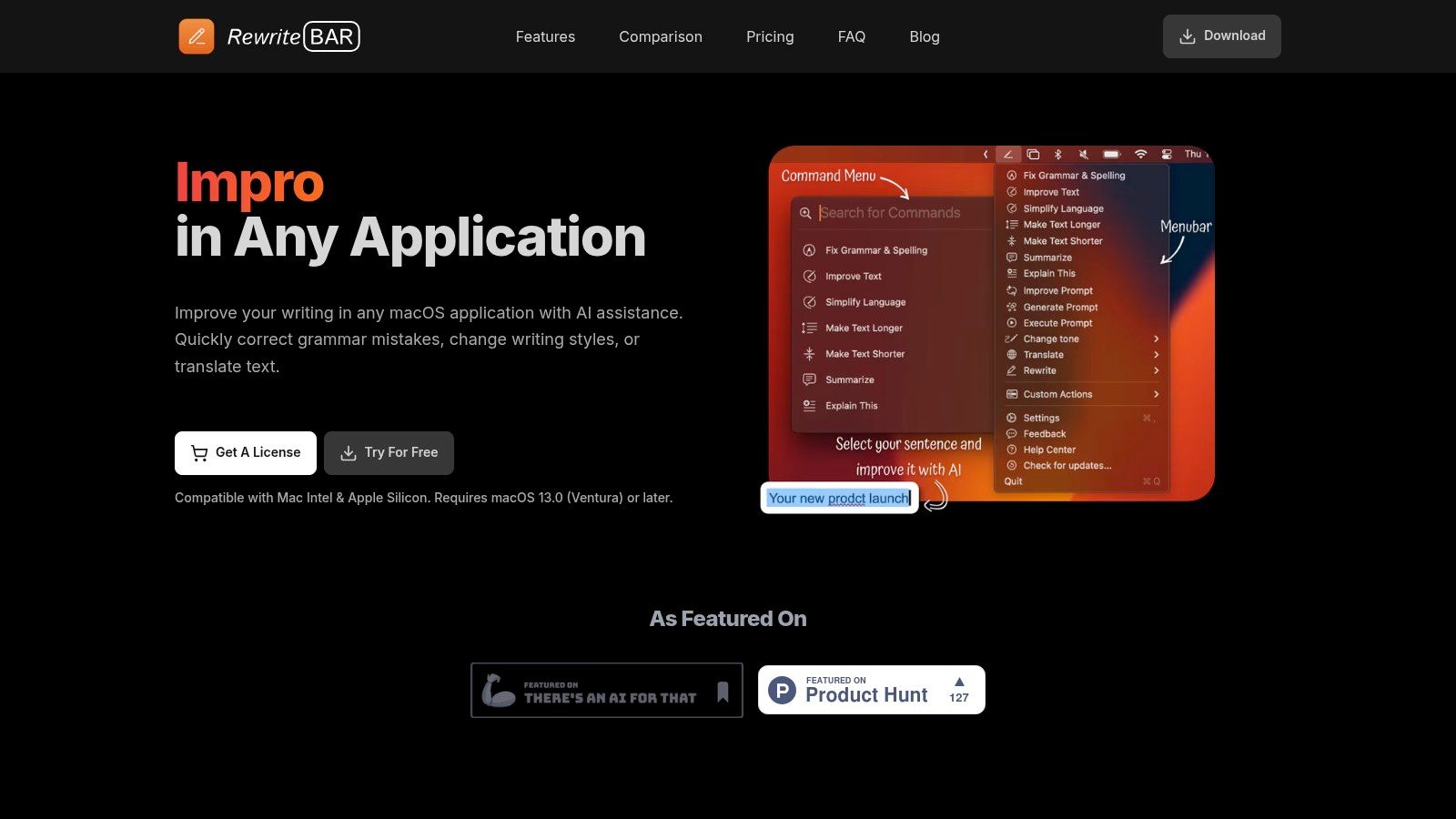
Unlike other tools, RewriteBar's compatibility with multiple leading AI providers (OpenAI, Anthropic, Ollama, etc.) gives users unparalleled flexibility in choosing the AI model that best suits their needs, whether it's prioritizing performance, privacy, or cost-effectiveness. Imagine crafting a technical document in VS Code, needing to rephrase a complex paragraph for clarity. With a quick keyboard shortcut, RewriteBar empowers you to refine the text using your preferred AI model without leaving your coding environment. Its unique custom rewrite actions further amplify productivity. Create personalized templates for routine tasks like crafting emails, social media posts, or even code documentation, dramatically reducing the time spent on repetitive writing. This feature is particularly valuable for entrepreneurs and marketers managing multiple communication channels.
RewriteBar’s lightweight design ensures minimal impact on system resources while supporting over 30 languages, making it exceptionally useful for non-native English speakers. Students and academics can benefit from the grammar and style refinement features to enhance their writing, while software developers can leverage RewriteBar for crafting concise and clear documentation. From quickly translating text within a Slack conversation to summarizing research articles in Chrome, RewriteBar seamlessly integrates into your workflow across popular applications like Notion, Microsoft Word, and more. Learn more about RewriteBar and explore its features in detail.
Pros:
- Seamlessly integrates with any macOS application, eliminating copy-paste interruptions.
- Supports multiple AI providers (OpenAI, Anthropic, Ollama, and more) for flexible, cost-effective, and private AI usage.
- Offers a comprehensive suite of writing tools: grammar correction, style and tone adjustment, translation, summarization, and prompt enhancement.
- Highly customizable with personal rewrite actions, keyboard shortcuts, and command arrangements to fit individual workflows.
- Affordable pricing options including a free trial with 100 requests, $5/month, $40/year, and a one-time $29 lifetime license.
Cons:
- Exclusive to macOS 13.0 (Ventura) or later—no support for Windows or earlier macOS versions.
- One-time license requires users to manage their own API key, which may involve additional usage-based costs depending on the AI provider.
RewriteBar earns its place on this list by offering a robust, adaptable, and cost-effective solution for elevating writing on macOS. Its seamless integration, multi-provider support, and customizable features set it apart from traditional grammar checkers, providing a comprehensive writing enhancement tool. With a 7-day refund policy and a commitment to not storing user data, RewriteBar prioritizes both user satisfaction and privacy. Visit the official website at https://rewritebar.com to download and experience the difference.
2. Scrivener
Scrivener is a powerful mac software for writing designed for tackling complex, long-form projects. It goes beyond the functionality of a standard word processor by integrating project management features, making it ideal for crafting novels, screenplays, research papers, dissertations, and even non-fiction books. Instead of wrestling with a single, ever-growing document, Scrivener empowers writers to break down their work into manageable chunks, rearranging and refining them with ease. This makes it a valuable tool for anyone seeking efficient mac software for writing, especially those working on extensive projects.
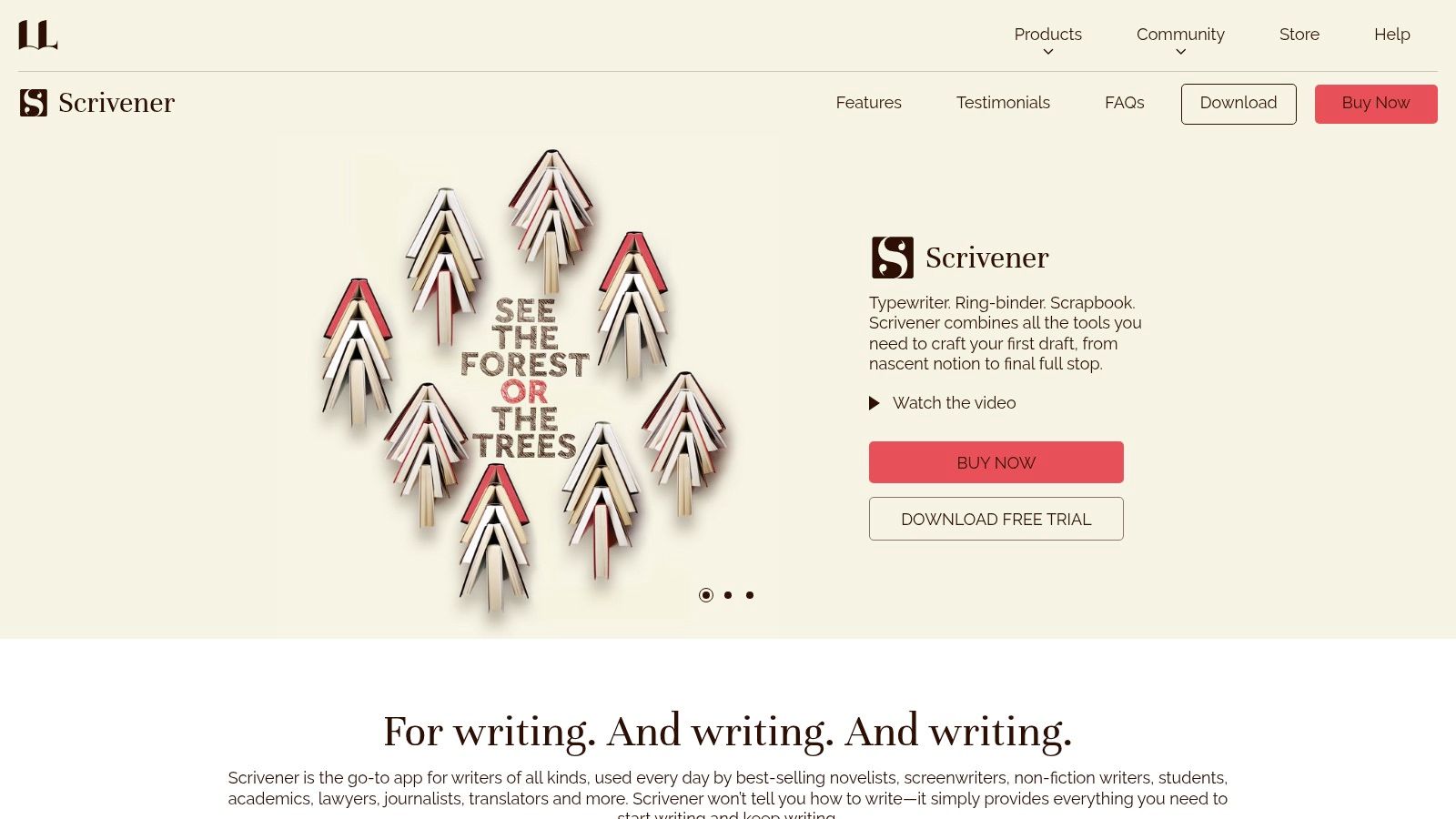
Scrivener's unique "corkboard" interface allows you to visualize and organize your writing as virtual index cards, each representing a scene, chapter, or section. This allows for effortless drag-and-drop restructuring, making it simple to experiment with different narrative flows or argument structures. Beyond the corkboard, Scrivener offers flexible document organization through folders and subfolders, enabling writers to manage research materials, notes, and character sketches alongside their manuscript. This centralized approach keeps all project-related information readily accessible, streamlining the writing process.
For software developers documenting complex projects, Scrivener can be invaluable in organizing technical specifications, user stories, and code examples. Content creators and marketers can leverage its structuring capabilities for planning content calendars, drafting long-form articles, or developing marketing campaigns. Students and academics will appreciate its ability to manage research notes, citations, and the overall structure of large academic papers and dissertations. Finally, for indie founders and entrepreneurs, Scrivener can be a powerful tool for crafting business plans, investor pitches, and other essential documents.
Features:
- Corkboard interface: Visually organize and rearrange sections of your writing.
- Flexible document organization: Manage your project with folders and subfolders.
- Research material management: Keep all your research in one place.
- Multiple export formats: Export to Word, PDF, ePub, Kindle, and more.
- Customizable templates: Utilize pre-built templates for various writing projects.
Pros:
- Exceptional organizational capabilities for complex projects.
- Robust formatting and compilation options.
- One-time purchase ($49 for a standard license) rather than a subscription model.
- Specifically designed for long-form writing.
Cons:
- Steep learning curve for beginners.
- Interface can feel cluttered at first.
- Limited collaboration features compared to cloud-based alternatives like Google Docs.
- More expensive than some simpler writing tools.
Website: https://www.literatureandlatte.com/scrivener/overview
Implementation Tip: Begin by exploring the interactive tutorial provided within Scrivener. This will help you navigate the interface and understand the core features. Start with a small project to get comfortable with the workflow before tackling larger endeavors.
Scrivener earns its place on this list of best mac software for writing due to its unparalleled ability to organize and manage large, complex writing projects. While it may require an initial investment in learning the software, the payoff in improved productivity and streamlined workflow makes it a worthwhile choice for serious writers across various disciplines.
3. Ulysses
Ulysses is a popular choice for Mac users seeking a minimalist yet powerful writing app. This software shines as a distraction-free writing environment, ideal for crafting everything from blog posts and articles to novels and screenplays. Its clean interface keeps you focused on your words, while powerful organizational tools help manage complex projects. If you’re looking for mac software for writing that prioritizes a streamlined experience without sacrificing functionality, Ulysses is worth a look.
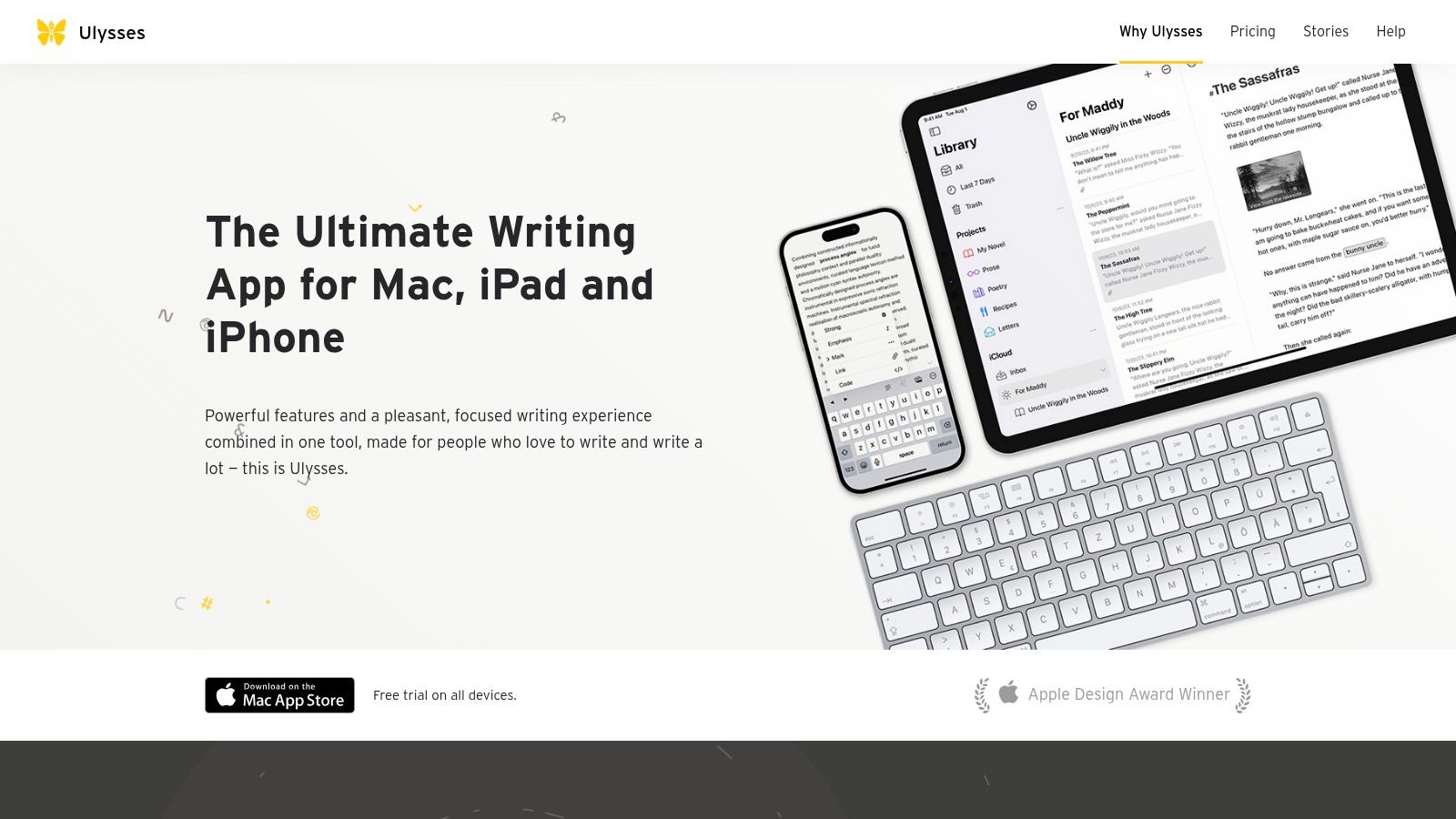
One of Ulysses' core strengths is its use of Markdown. While this might represent a small learning curve for users accustomed to traditional word processors, Markdown's simplicity and flexibility make it a powerful tool for writers who value clean, easily-exportable text. Ulysses’ implementation of Markdown allows for seamless formatting without cluttering the interface, which enhances the distraction-free writing experience. The app's library organization, with groups and filters, lets you categorize and manage your writing projects efficiently. This is especially useful for users juggling multiple writing tasks, from students managing academic papers to content creators developing a series of articles.
Furthermore, Ulysses offers direct publishing to platforms like WordPress and Medium, streamlining the content creation workflow for bloggers and online writers. The built-in goal setting and progress tracking features can be motivating for writers working on long-form projects, such as book authors or academics. These features make it easy to set daily word counts or deadlines, helping maintain momentum and track progress towards completion.
For software developers writing documentation or crafting technical articles, Ulysses provides a clean and efficient environment that allows them to focus on the clarity and accuracy of their text. The Markdown format is also highly compatible with development workflows and integrates well with version control systems.
Pros:
- Beautiful, minimalist interface
- Seamless synchronization across Apple devices
- Excellent export options including ePub, PDF, and HTML
- Comprehensive writing statistics
Cons:
- Subscription-based pricing ($5.99/month or $49.99/year)
- Apple ecosystem only (no Windows or Android versions)
- Limited formatting options compared to traditional word processors
- Markdown learning curve for new users
Technical Requirements: macOS, iPadOS, iOS (Specific version requirements may vary)
Comparison with Similar Tools: While Scrivener offers more advanced features for long-form writing and project management, Ulysses shines in its simplicity and elegant interface. Compared to iA Writer, another minimalist writing app, Ulysses offers more powerful organization and export options.
Implementation/Setup Tips:
- Take advantage of the built-in tutorials and documentation to quickly master Markdown and Ulysses’ features.
- Customize the editor's appearance (themes, fonts) to create a personalized writing environment.
- Utilize the library organization features to structure and manage your writing projects effectively.
Ulysses deserves its spot on this list because it strikes a balance between minimalist design and powerful functionality. It provides a distraction-free writing environment that fosters creativity and productivity, while offering enough features to satisfy the needs of both casual and professional writers using mac software for writing. You can download Ulysses from their website: https://ulysses.app/
4. Final Draft
If you're serious about screenwriting, Final Draft is the mac software for writing that you'll likely encounter sooner or later. It's the industry-standard software used by major studios and production companies worldwide. While it caters specifically to the needs of screenwriters, playwrights, and television writers, its robust features can be helpful for anyone working on script-based projects. Final Draft streamlines the writing process by automatically formatting scripts to industry standards, eliminating the need for manual adjustments and allowing writers to focus on their story. This software empowers writers with specialized tools to manage characters, dialogue, and story beats, offering a comprehensive environment for crafting professional-grade scripts.
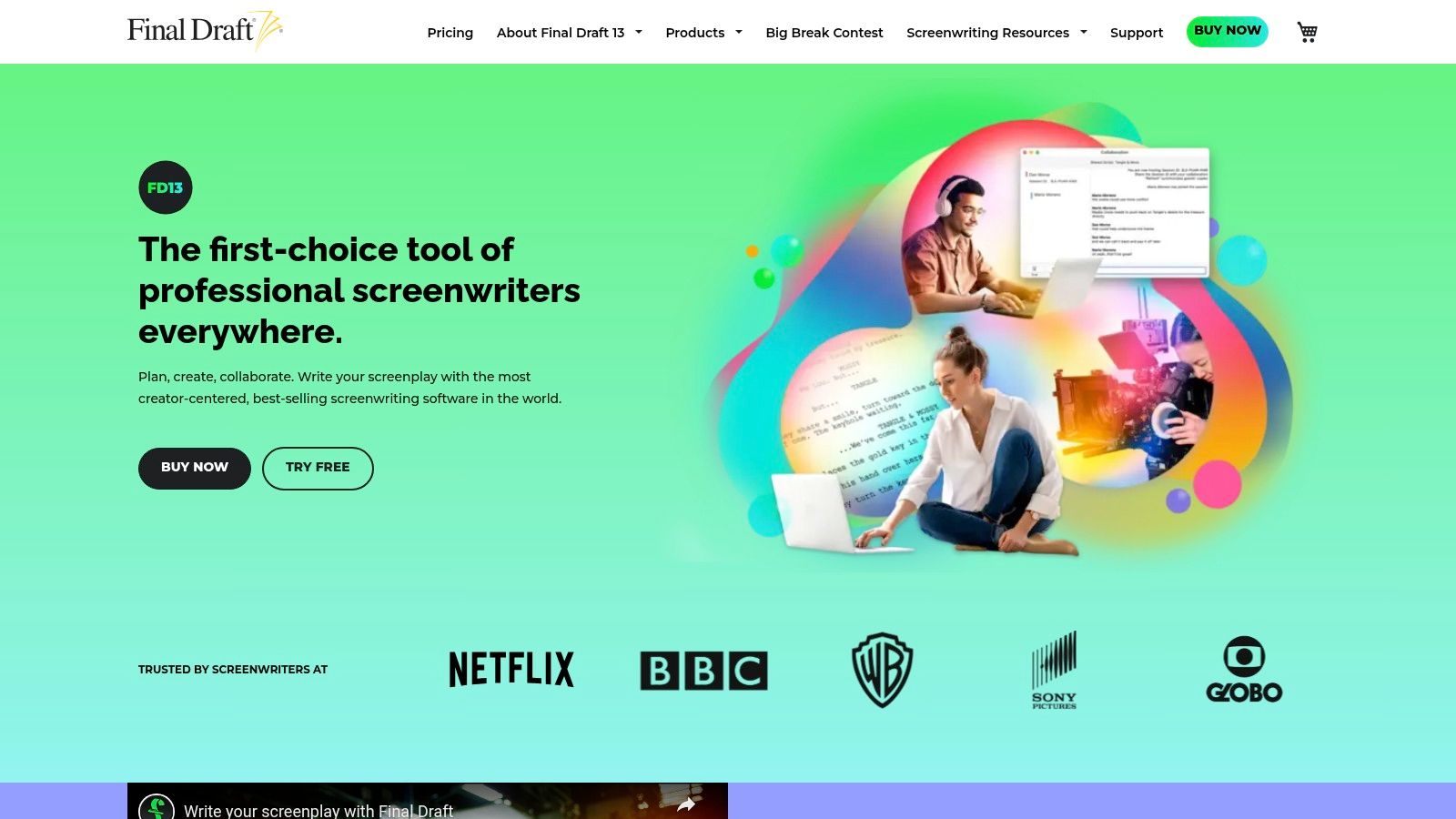
Final Draft stands out with features like the Beat Board, a visual tool for organizing story beats and outlining plot points. Its character and dialogue management tools allow writers to track character arcs and ensure dialogue consistency throughout their scripts. For collaborative projects, Final Draft offers features that simplify team writing and revisions. It also integrates seamlessly with production workflows, including reports, scene numbering, and revision tracking. This integration is invaluable during pre-production and production, making it a crucial tool for not just writers, but also producers, directors, and other members of the film and television production team.
For aspiring screenwriters and students, Final Draft offers a familiar platform that's consistent with what professionals use. While other mac software for writing solutions might offer scriptwriting templates, Final Draft’s dedicated feature set and industry recognition give users a significant advantage. Indie founders and entrepreneurs working on video projects can also leverage its powerful features to create professional-quality scripts for their ventures.
A new license for Final Draft costs $249.99. While it's a significant investment, the specialized tools and industry-standard formatting make it a worthwhile purchase for serious screenwriters. However, its focus on scripts makes it less versatile than other mac software for writing options if you need to create other content types. Some users have also reported occasional stability issues. Furthermore, non-industry professionals might encounter a steeper learning curve compared to more general-purpose writing software.
Pros:
- Gold standard for screenplay formatting in the industry.
- Powerful specialized tools for script writing.
- Integration with production workflows.
- Regular updates with industry requirements.
Cons:
- Expensive ($249.99 for a new license).
- Focused exclusively on scripts (not ideal for other writing).
- Steeper learning curve for non-industry professionals.
- Some users report occasional stability issues.
Website: https://www.finaldraft.com/
Final Draft earns its place on this list because of its position as the industry leader. While the price point might be a barrier for some, the specialized features, seamless integration with production workflows, and adherence to industry standards make it a valuable investment for anyone committed to a career in screenwriting. For other types of writing, however, exploring alternative mac software for writing options might be a more cost-effective and practical approach.
5. iA Writer
For those seeking a truly minimalist writing experience on their Mac, iA Writer is a compelling choice. This mac software for writing prioritizes a distraction-free environment, stripping away unnecessary bells and whistles to help you focus solely on your words. This makes it particularly appealing to users who find themselves easily overwhelmed by feature-rich applications and prefer a clean, uncluttered interface. It's built around plain text and markdown, ensuring your documents are portable and future-proof, regardless of evolving software trends. This focus on simplicity also translates into blazing-fast performance, even when handling large documents, making it ideal for long-form writing projects.
iA Writer offers several smart features that enhance the writing process without adding clutter. Focus Mode highlights the current sentence, allowing you to concentrate on the rhythm and flow of your prose. Syntax Control identifies different parts of speech, assisting with self-editing and improving clarity. For more complex projects, Content Blocks facilitate the inclusion of images and tables directly into your markdown documents. The Library feature provides a simple way to organize your files with favorites and a quick search function. Additional features like Night Mode and optimized typography further contribute to a comfortable reading and writing experience.
While its minimalist approach is a strength, it can also be a limitation. iA Writer’s intentional lack of extensive formatting options might frustrate users accustomed to rich text editors. Compared to competitors, its organization and export features are relatively basic. For instance, it lacks built-in publishing tools for blogs, and exporting options are limited. This means that users looking for a one-stop solution for writing, editing, formatting, and publishing might find iA Writer insufficient for their needs.
However, for users prioritizing a distraction-free environment and valuing speed and portability, iA Writer shines. Its clean interface, fast performance, and cross-platform availability (Mac, iOS, Windows, and Android) make it an excellent option for writers on the go. The one-time purchase price of $29.99 is also attractive, especially compared to subscription-based models prevalent in the market.
Implementation Tips:
- Start with the basics: Familiarize yourself with markdown syntax if you're new to it. iA Writer's clean interface makes markdown incredibly accessible, even for beginners.
- Utilize Focus Mode: This feature is invaluable for maintaining concentration, particularly during long writing sessions.
- Explore Syntax Control: Use this feature to analyze your writing style and identify areas for improvement.
For more information and to download iA Writer, visit their website: https://ia.net/writer
6. Microsoft Word for Mac
When discussing mac software for writing, Microsoft Word for Mac remains a dominant force. As the macOS version of the industry-standard word processor, it's a powerful tool suitable for a wide range of writing tasks, from crafting business documents and academic papers to collaborating on projects. Its comprehensive feature set and widespread compatibility make it a staple for many users. While alternatives exist, Word’s entrenched position ensures its relevance for users seeking familiarity and robust functionality within the Microsoft ecosystem. This is particularly true for anyone regularly working with Windows users, ensuring seamless document exchange.
One of the key strengths of Microsoft Word for Mac is its comprehensive text formatting and styling options. Users can fine-tune every aspect of their documents, from font choices and paragraph spacing to creating tables of contents and bibliographies. This makes it ideal for complex documents requiring adherence to specific formatting guidelines, such as academic papers or legal documents. Furthermore, the built-in collaboration tools, including track changes and commenting, simplify teamwork, especially beneficial for content creators, marketers, and software developers working on shared projects.
Word's tight integration with the Microsoft 365 suite provides a seamless workflow across various applications. Users can easily import and export content between Word, Excel, PowerPoint, and other Microsoft services, streamlining tasks like data analysis and presentation creation. The plethora of available templates for various document types, from resumes and cover letters to reports and newsletters, further enhances productivity by providing pre-designed starting points.
Features:
- Comprehensive text formatting and styling options
- Track changes and commenting for collaboration
- Integration with Microsoft 365 apps and services
- Templates for various document types
- Advanced layout and design capabilities
Pros:
- Universal compatibility and industry-standard format (.docx) ensures seamless sharing.
- Powerful formatting and layout tools cater to complex document creation.
- Real-time collaboration features streamline teamwork.
- Familiar interface for most users, minimizing the learning curve.
Cons:
- Subscription-based model (part of Microsoft 365, starting from $69.99/year) may be a barrier for some.
- Can be bloated with features many writers, especially those focused on creative writing, may not need. Simpler mac software for writing might be preferable in such cases.
- Not specifically designed for creative writing workflows, lacking features like distraction-free mode or specialized formatting tools found in dedicated writing apps.
- The extensive feature set can be distracting for focused writing sessions.
Website: https://www.microsoft.com/en-us/microsoft-365/word
Implementation Tip: While Word offers a wealth of features, new users can start with the basic formatting tools and gradually explore the more advanced capabilities as needed. Utilizing templates can significantly speed up the document creation process, especially for common document types.
Microsoft Word for Mac earns its place on this list due to its industry-standard status, comprehensive features, and broad compatibility. While the subscription cost and potential feature bloat might deter some, its power and versatility make it a valuable tool for anyone who regularly works with complex documents or needs seamless collaboration features. For those seeking mac software for writing within the Microsoft ecosystem, Word remains a compelling choice.
7. Bear
Bear is a sleek and focused mac software for writing that excels at crafting notes, prose, code snippets, and more. Its beauty lies in its simplicity, offering a distraction-free writing environment while packing powerful features under the hood. Instead of relying on traditional folder structures, Bear employs a flexible organization system using hashtags and nested tags, allowing for effortless cross-linking between notes. This makes it particularly useful for connecting ideas, building a knowledge base, or managing research materials. For those seeking elegant mac software for writing, Bear is a strong contender.
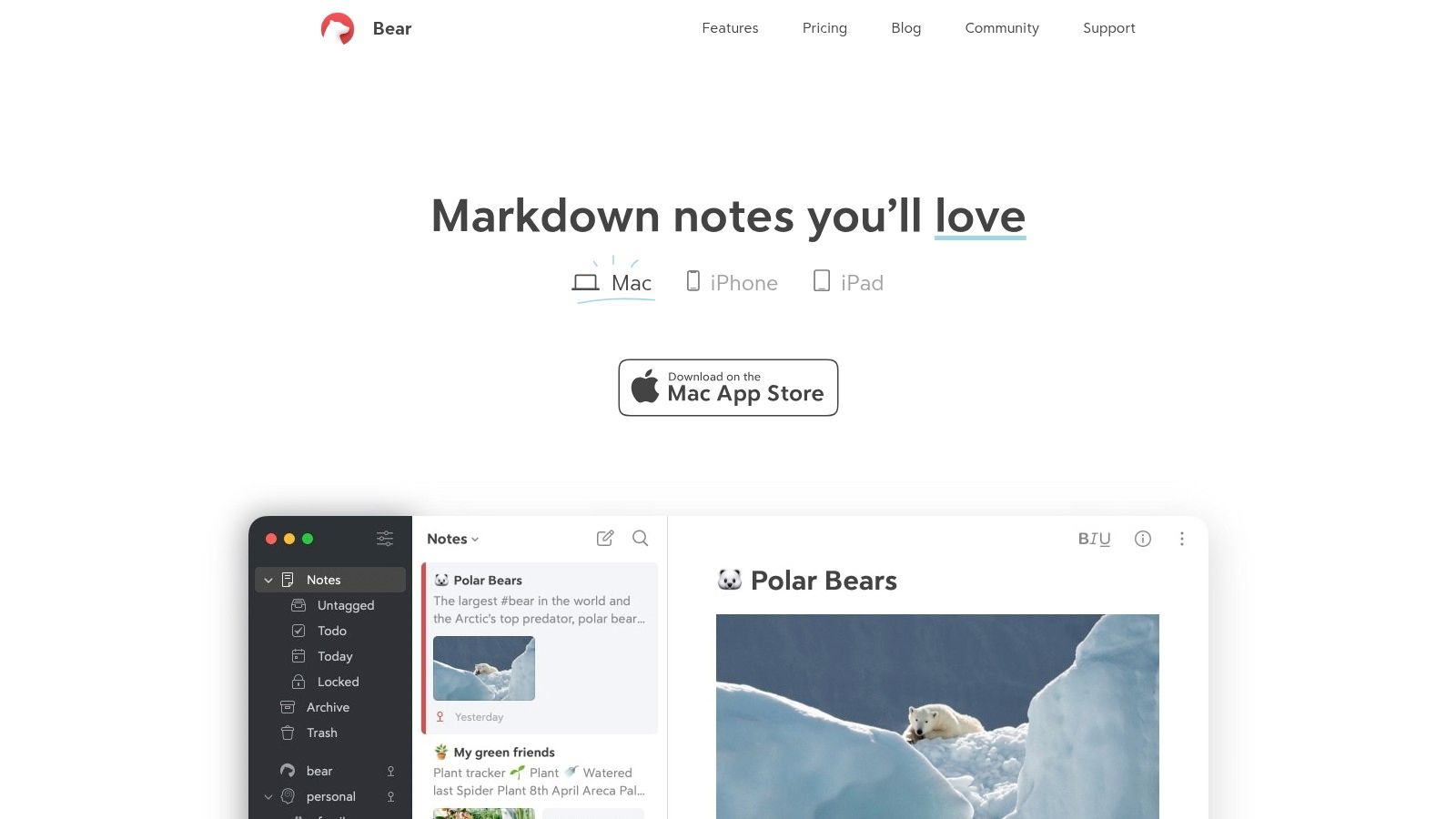
Bear's advanced Markdown support, coupled with syntax highlighting for over 150 programming languages, makes it a versatile tool for software developers and technical writers. Content creators and marketers will appreciate the clean writing interface and the ability to quickly link related ideas. Students and academics can use Bear to organize research notes, create outlines, and draft papers, leveraging the cross-note linking feature to build a comprehensive understanding of their subject matter. Indie founders and entrepreneurs can benefit from its streamlined note-taking capabilities for brainstorming, project planning, and meeting notes.
One of Bear's standout features is its seamless synchronization between Mac and iOS devices (with a paid subscription). This allows you to capture ideas on the go and access your notes from anywhere. The focus mode helps minimize distractions, while the thoughtfully designed typography enhances readability for longer writing sessions. Exporting your work is straightforward, with options including PDF, HTML, and DOCX formats.
Implementation/Setup Tips:
- Hashtags are Key: Start using hashtags from the get-go. They are the backbone of Bear's organizational system. Think of them as keywords that categorize your notes.
- Nested Tags for Granular Control: Utilize nested tags (e.g., #project/research/notes) for a more granular organization within broader categories.
- Explore Cross-Note Linking: Experiment with linking notes together using double brackets and the note title (e.g., [[Meeting Notes]]). This feature unlocks the true potential of Bear as a networked thought tool.
Pricing: Bear offers a free version with limited features. To unlock syncing and export options, a subscription is required: $1.49/month or $14.99/year.
Technical Requirements: macOS and iOS (for syncing).
Comparison: While Bear is a powerful note-taking and writing app, it's important to note that it's not a full-fledged word processor like Microsoft Word or Pages. It offers fewer formatting options and may not be ideal for complex long-form writing projects requiring extensive styling. For those primarily focused on note-taking, organizing ideas, and drafting simpler documents, Bear provides a more focused and elegant experience compared to feature-heavy alternatives. Apps like Ulysses offer a similar focus on Markdown and a clean writing interface but are often more expensive.
Pros:
- Beautiful, award-winning design
- Seamless sync between Mac and iOS devices (with subscription)
- Powerful search and organization capabilities
- Affordable subscription
Cons:
- Subscription required for sync and export features
- Limited to Apple ecosystem
- Not specifically designed for long-form writing projects
- Fewer formatting options than dedicated word processors
Website: https://bear.app/
Bear earns its place on this list of mac software for writing thanks to its unique blend of aesthetics, functionality, and ease of use. Its focus on linking ideas and its powerful tagging system offers a refreshing approach to note-taking and writing, particularly for those who prefer a minimalist and distraction-free environment.
8. Pages
Pages is Apple's free word processor, offering a compelling option for anyone seeking reliable mac software for writing. Pre-installed on all new Macs and iOS devices, and available as a free download for older systems, it seamlessly integrates with the Apple ecosystem. This makes Pages an incredibly accessible choice for drafting everything from quick notes and essays to complex reports, newsletters, and even books. Its user-friendly interface combines powerful writing tools with intuitive page layout features, enabling users to produce visually appealing documents with ease.
Pages shines when used for collaborative projects, thanks to its real-time collaboration feature. Multiple users can work on the same document simultaneously, streamlining workflows for teams and simplifying feedback processes. The built-in templates are a significant advantage for users who need to create professional-looking documents quickly. Whether you're crafting a resume, a business proposal, or a flyer, Pages provides a starting point with pre-designed layouts and formatting.
For those entrenched in the Apple ecosystem, the seamless integration with iCloud is a major benefit. Documents automatically sync across all your devices, ensuring you always have the latest version at your fingertips, whether you're working on your Mac, iPad, or iPhone. While Pages boasts excellent compatibility with Microsoft Word (.doc and .docx), occasional formatting discrepancies can arise when sharing with non-Apple users.
Compared to Microsoft Word, Pages offers fewer advanced features for highly specialized writing formats. Researchers working with complex citations or screenwriters requiring specific script formatting might find Word a better fit. Also, while Pages offers templates and styling options, it isn't explicitly designed for creative writing workflows, lacking features like dedicated novel-writing tools.
Features:
- Real-time collaboration
- Advanced page layout and design capabilities
- iCloud integration for seamless syncing across devices
- Built-in templates for various document types
- Smart text styling and formatting options
Pros:
- Free with all Mac and iOS devices
- Beautiful templates and design tools
- Seamless integration with the Apple ecosystem
- Excellent compatibility with Microsoft Word documents
Cons:
- Some compatibility issues when sharing with non-Apple users
- Fewer advanced features than Microsoft Word
- Limited compatibility with specialized writing formats
- Not designed specifically for creative writing workflows
Website: https://www.apple.com/pages/
Implementation/Setup Tips:
- Familiarize yourself with the template library to expedite document creation.
- Explore the formatting options and styles to customize your documents effectively.
- Enable iCloud syncing to access your documents across all your devices.
Pages deserves a place on this list of best mac software for writing because it provides a free, readily available, and user-friendly option for a wide range of writing tasks. Its tight integration with the Apple ecosystem, collaborative features, and beautiful templates make it an excellent choice for students, entrepreneurs, content creators, and anyone who needs a reliable word processor for everyday use. While it might not replace Microsoft Word for highly specialized needs, its ease of use and seamless accessibility make it a powerful tool for mac users.
9. Storyist
Storyist is a robust mac software for writing designed specifically for novelists and screenwriters. It goes beyond a simple word processor, offering a comprehensive environment where you can not only write but also meticulously plan and organize your creative writing projects. Think of it as a digital writing studio tailored to the needs of fiction writers and screenwriters, helping them manage complex narratives, develop compelling characters, and build immersive settings, all within a unified platform. This makes it an excellent choice for anyone looking for dedicated mac software for writing fiction.
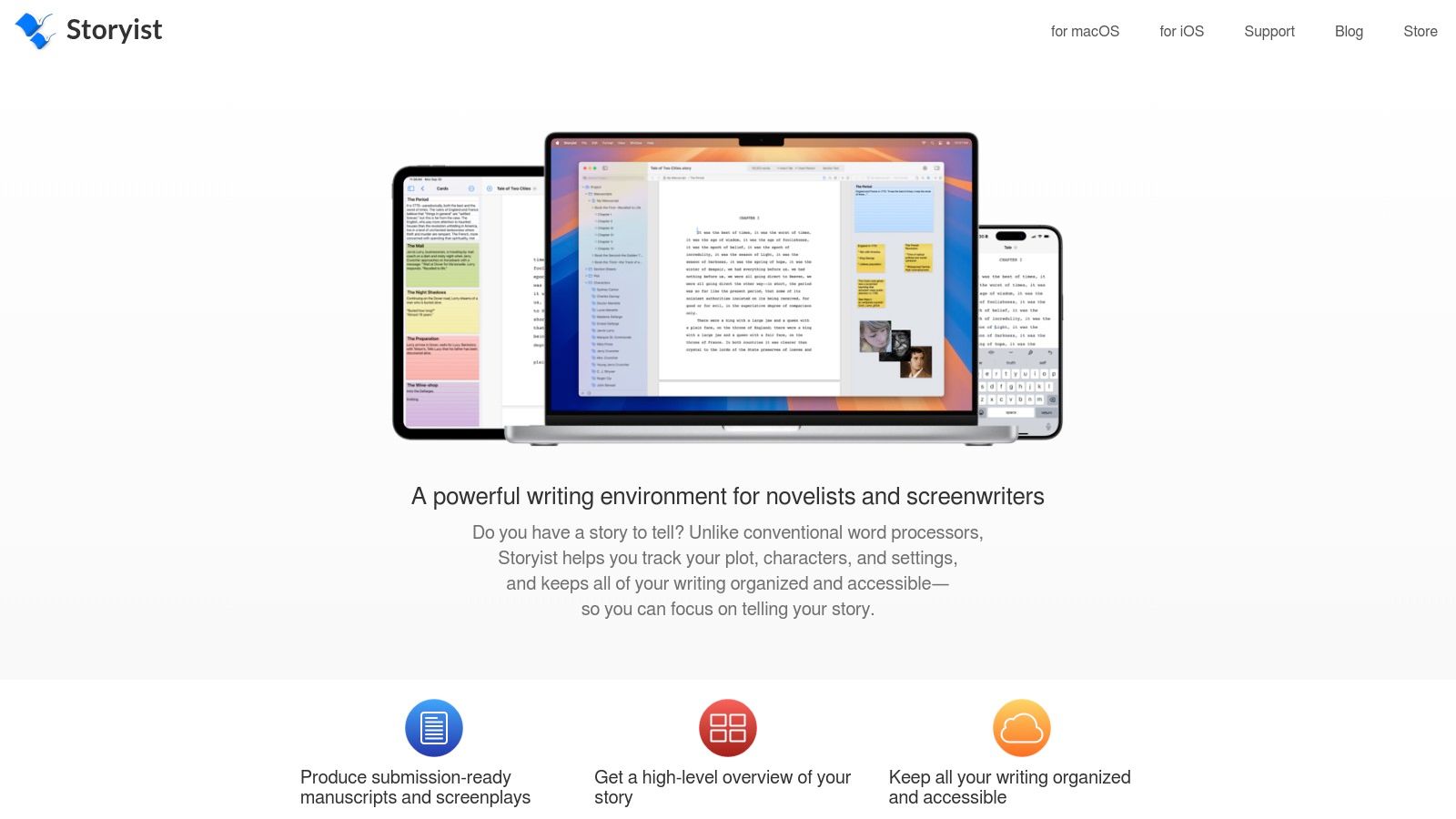
Storyist shines in its project management capabilities. It offers pre-built templates for novels and screenplays, allowing you to hit the ground running with a structured framework. The Storyboard view provides a visual overview of your scenes, making it easy to rearrange and refine the plot. Dedicated character and setting sheets help you flesh out these crucial elements, maintaining consistency and depth throughout your work. For novelists, the customizable manuscript formatting options ensure your final product looks professional. What sets Storyist apart from generic writing tools is this focus on the specific needs of crafting compelling narratives.
One of the biggest advantages of Storyist is its one-time purchase price of $59.99, making it a more affordable long-term solution compared to subscription-based mac software for writing. Furthermore, it boasts a powerful iOS companion app with full feature parity, enabling seamless syncing between your Mac and mobile devices. This allows you to write and edit on the go, keeping your project accessible wherever inspiration strikes.
While Storyist packs a powerful punch for creative writing, it's worth noting that it's less widely known than competitors like Scrivener. This smaller community can mean fewer online resources and a slightly steeper learning curve for new users. Additionally, Storyist receives fewer updates compared to some alternatives and offers limited collaboration features, which might be a drawback for those working on collaborative projects.
Key Features and Benefits:
- Project Templates: Jumpstart your project with pre-built templates for novels and screenplays.
- Storyboard View: Visualize and organize your scenes with drag-and-drop ease.
- Character & Setting Sheets: Develop detailed profiles for your characters and settings.
- Customizable Formatting: Control the appearance of your manuscript.
- iOS App with Syncing: Write and edit on your Mac and iOS devices seamlessly.
- One-Time Purchase: Avoid recurring subscription fees.
Pros:
- Purpose-built for creative writing projects.
- Powerful organization tools specifically for fiction.
- Affordable one-time purchase.
- Excellent iOS companion app.
Cons:
- Less known than some competitors.
- Steeper initial learning curve.
- Fewer updates than some alternatives.
- Limited collaboration features.
Website: https://storyist.com/
Storyist earns its place on this list of best mac software for writing because of its dedicated focus on the needs of novelists and screenwriters. If you're looking for a powerful, organized, and affordable solution for crafting long-form fiction, Storyist is well worth considering. While it might take a little time to master, the robust features and dedicated focus on storytelling make it a valuable tool for serious writers.
10. Mellel
Mellel stands out among mac software for writing, particularly for academics and anyone working with long, complex documents. Unlike more general-purpose word processors, Mellel prioritizes structural integrity, advanced typography control, and robust features for managing citations and multilingual text. This makes it ideal for dissertations, research papers, and books requiring meticulous formatting and organization. While other software might struggle with large file sizes and intricate layouts, Mellel remains stable and responsive, allowing you to focus on your content rather than wrestling with the software.
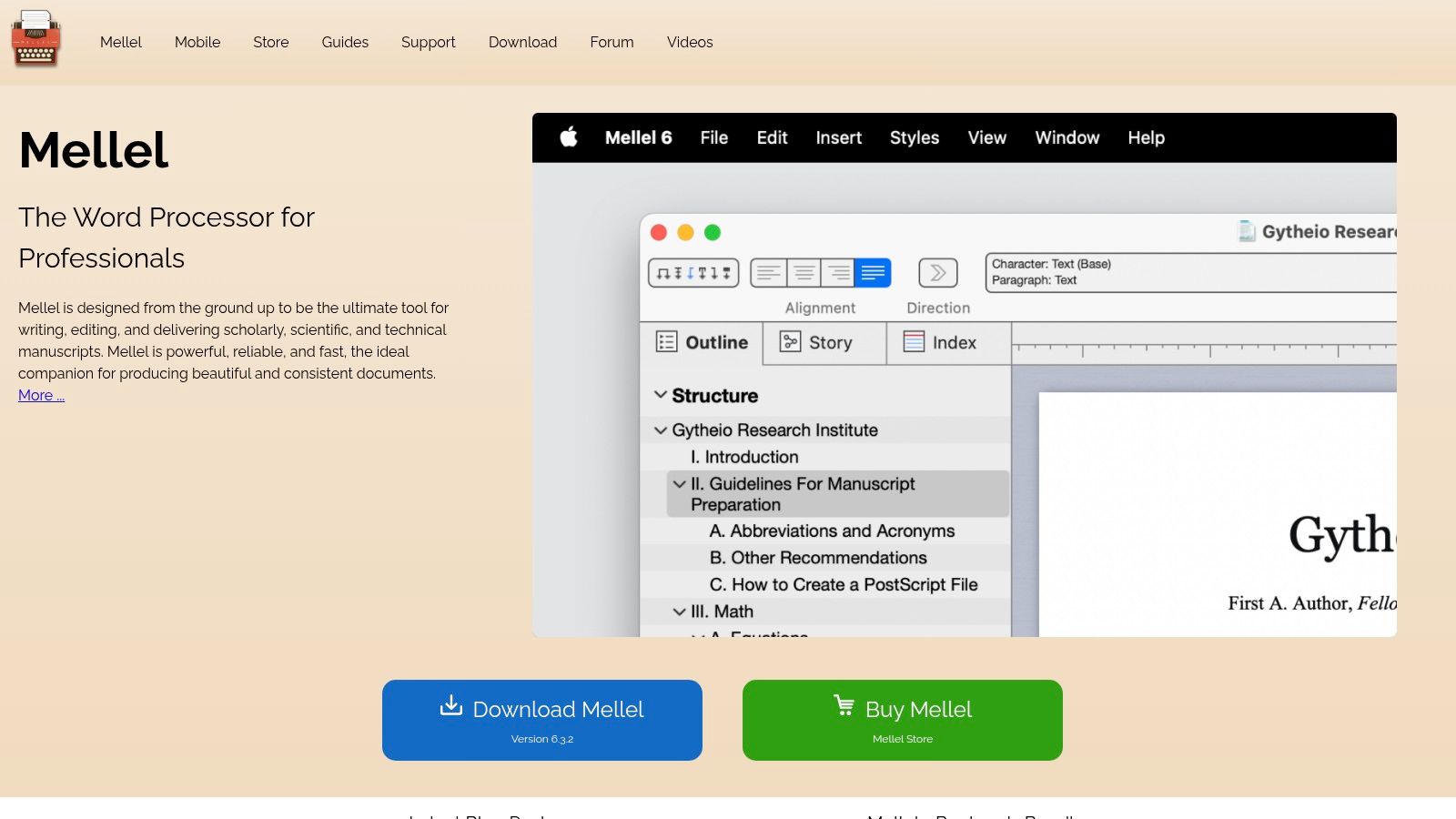
Mellel’s sophisticated outline tools allow for true structural editing, letting you manipulate entire sections of your document effortlessly. Its auto-title and cross-reference features update dynamically, eliminating the tedious and error-prone task of manual updates. For multilingual users, Mellel provides superior support, including right-to-left languages, making it a powerful tool for international collaboration and research. Its integrated citation management system streamlines the process of adding and formatting citations and bibliographies, a crucial aspect of academic writing. Furthermore, Mellel provides unparalleled control over typography and document design with extensive style sheets, enabling precise formatting that adheres to specific style guides.
For software developers documenting complex projects, Mellel's stability and structural organization can be invaluable. Content creators and marketers working on long-form content like ebooks or white papers will appreciate its powerful formatting and layout capabilities. Students and academics, the primary target audience, will find its features for citations, cross-references, and multilingual support essential. Indie founders and entrepreneurs needing to create professional-looking documents will also benefit from Mellel’s typographic control and robust features.
While Mellel shines in its specialized areas, it's important to be aware of its limitations. The interface, while powerful, is less intuitive than more modern word processors and might require some time to master. Collaboration features are limited compared to cloud-based solutions like Google Docs or Microsoft Word. It's also not the ideal choice for creative writing workflows, as it lacks features specifically tailored for fiction writing.
Mellel offers a one-time purchase option for $49 with reasonable upgrade pricing, making it a cost-effective alternative to subscription-based software. This makes it a particularly attractive option for students and independent researchers. Technical requirements are modest, running smoothly on most modern Macs. To get started, download Mellel from their website (https://www.mellel.com/) and explore the comprehensive documentation and tutorials available. Investing time in learning Mellel's unique features will pay off significantly for anyone working on complex writing projects that demand precise formatting, robust organization, and exceptional stability.
Mac Writing Software Feature Comparison
| Product | Core Features & Uniqueness ✨ | User Experience & Quality ★★★★☆ | Value & Pricing 💰 | Target Audience 👥 | Unique Selling Points 🏆 |
|---|---|---|---|---|---|
| RewriteBar 🏆 | AI-powered multitool: grammar, tone, translation, summaries; custom actions; multi-AI support | Seamless macOS integration; lightweight & distraction-free | Free trial; $5/mo, $40/yr; $29 lifetime | Mac users, developers, marketers, students, entrepreneurs | Custom rewrite templates; choice of AI engines; macOS-wide shortcut |
| Scrivener | Robust project management; corkboard; multi-format export | Powerful but complex; best for long-form writing | $49 one-time | Novelists, academics, screenwriters | Superior content organization & compilation |
| Ulysses | Minimalist Markdown editor; sync across Apple devices | Clean UI; distraction-free; solid export options | $5.99/mo or $49.99/yr | Creative & professional Mac/iOS writers | Seamless device sync; Markdown focus |
| Final Draft | Industry-standard screenplay formatting; collaboration | Feature-rich but complex; stable with some issues | $249.99 one-time | Professional screenwriters, TV/playwrights | Best script formatting & production integration |
| iA Writer | Minimalist Markdown editor; syntax highlighting; focus mode | Fast, clean, cross-platform | $29.99 one-time | Writers seeking distraction-free, multi-platform tool | Lightweight with syntax control; wide platform support |
| Microsoft Word for Mac | Comprehensive formatting & collaboration; MS 365 integration | Familiar, powerful but can feel bloated | From $69.99/yr subscription | Business, academics, general professional writers | Industry standard, rich collaboration |
| Bear | Markdown with syntax highlighting; tagging & note linking | Beautiful UI; effective search & sync | $1.49/mo or $14.99/yr | Note takers, coders, Apple ecosystem users | Advanced linking & tagging; Apple ecosystem optimized |
| Pages | Apple-native word processor; templates; iCloud sync | Free; user-friendly; strong Apple integration | Free with macOS/iOS | Apple users needing general word processing | Free, polished design with Apple ecosystem integration |
| Storyist | Novel & screenplay focused; storyboard view; character sheets | Creative project focus; less known; iOS sync | $59.99 one-time | Novelists, screenwriters | Fiction project templates & organization |
| Mellel | Academic focus; citations & bibliography; multilingual support | Stable with complex documents; steep learning curve | $49 one-time | Academics, technical writers | Superior academic tools; multilingual & RTL support |
Choosing Your Perfect Writing Companion
Finding the perfect Mac software for writing can feel overwhelming with so many excellent options available. From the minimalist elegance of iA Writer to the robust project management capabilities of Scrivener, and the screenwriting-focused features of Final Draft, we've explored a diverse range of tools in this article, including popular choices like Microsoft Word for Mac, Pages, Bear, Storyist, Mellel, and Ulysses. Each caters to different needs and writing styles. Key takeaways include considering your budget (some are free, others subscription-based or one-time purchases), desired features (like AI assistance, distraction-free mode, or organizational tools), and compatibility with other platforms.
The most important factor when selecting mac software for writing is how well it aligns with your individual workflow. Do you thrive in a minimalist environment or require extensive organizational features? Are you a novelist working on a complex project, a student crafting essays, a software developer documenting code, a content creator producing marketing materials, or an indie founder drafting business plans? The ideal mac software for writing will empower you to write more effectively and efficiently.
To make an informed decision, take advantage of free trials or freemium versions of the software mentioned above. Experiment with different interfaces and feature sets to discover which resonates best with your writing process. Remember, the right tool can transform your writing experience.
Looking for an extra edge in crafting compelling and clear content? Check out RewriteBar, a powerful Mac writing tool designed to enhance your writing workflow. Visit RewriteBar to learn more and discover how it can help you refine and polish your writing on your Mac.
Article created using Outrank

More to read
7 Best Writing Templates for Faster Work
Explore the best writing templates for emails, summaries, user stories, social posts, and code comments—and learn how to use them in RewriteBar.
How to Use AI for Writing (2026 Practical Workflow)
Learn how to use AI for writing with a step-by-step workflow covering prompt templates, editing, privacy options, and ready-to-use examples for every task.
Distraction Free Writing App: A Complete Buyer's Guide
Find the best distraction free writing app for your workflow. Compare features, privacy options, and how AI assistants like RewriteBar fit in.
Tags
Written by
Mathias MichelPublished
May 15, 2025