Project Documentation: A Practical Guide for Modern Teams
Learn what project documentation is, the types that matter, and best practices for keeping it useful across software, research, and product teams.
Written by
 Mathias Michel
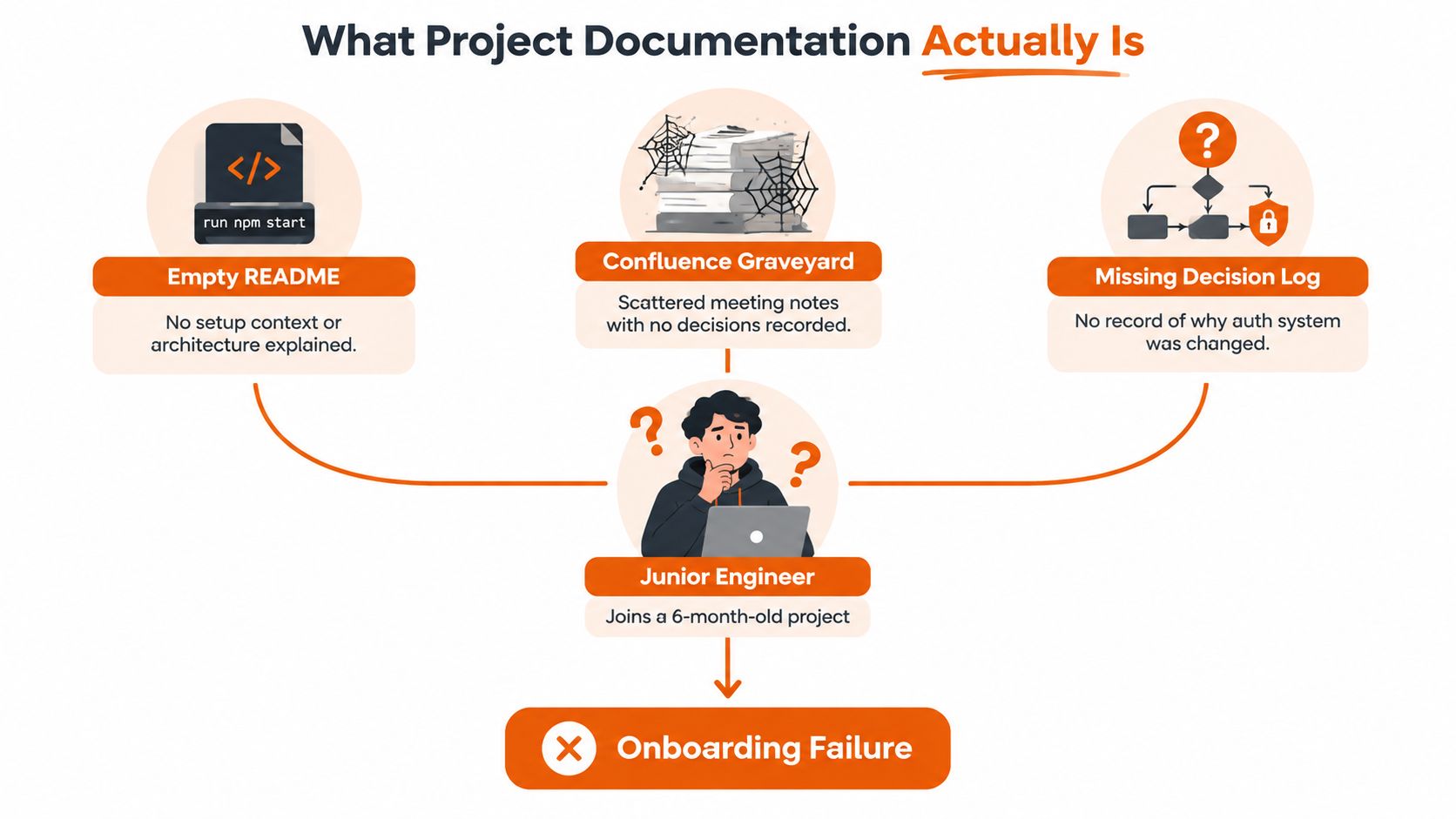
You join a project that's been running for six months. The README says only run npm start. Confluence contains a graveyard of meeting notes, but no clear decisions. The team recently moved authentication from sessions to JWT, and nobody can explain why, what alternatives they rejected, or which services still depend on the old flow.
That's not a writing problem. It's a traceability problem. Good project documentation helps a new teammate understand what the project does, why it works this way, what changed, who owns each decision, and how to modify the system without guessing.
Project documentation became formalized in research and data-management practice to make projects understandable, reusable, and auditable across their full lifecycle. CESSDA's Data Management Expert Guide recommends creating documentation early, maintaining it consistently, and recording core metadata such as the project title, authors, funders, roles, grant numbers, and related publications. Modern software teams need the same discipline, even when they call the artifacts README files, design records, API references, or runbooks.
What Project Documentation Actually Is
A useful definition is:
Project documentation is the persistent, searchable record of a project's decisions, context, interfaces, requirements, and operating practices.
Persistent means the knowledge remains available after a conversation ends or a teammate leaves. Slack messages, calls, and meetings coordinate work in the moment, but they can be hard to search and may omit the reasoning behind a decision. Documentation preserves the part someone will need to inspect later, including the decision, its context, and its consequences.
Searchable means a teammate can find the answer while doing the work. A correct document hidden in an abandoned folder has little practical value. Its title, location, and structure should make its purpose clear before someone opens it.
Documentation is broader than code comments
A code comment may explain why a function handles an unusual input. Project documentation connects that function to the work around it:
- The problem: Which user, business, or technical need started the work?
- The decision: Which approach did the team choose, and which alternatives did it reject?
- The interface: What contract does another service, team, or customer rely on?
- The operation: What should someone do when deployment fails or an alert fires?
- The change: Which requirement, commit, release, and user-facing instruction connect to the implementation?
These connections let a reader check whether the current behavior still matches the original intent. A requirement can lead to its design, implementation, test, release note, and user guidance. If those references break, the project may still contain many pages, yet the record no longer supports safe change.
The decision record is the missing piece
Teams often record what happened without recording why it happened. A meeting note might say, “Authentication migrated to JWT.” A useful decision record also captures the constraints, alternatives, consequences, and follow-up work. Without that context, a future engineer may reverse the decision, repeat the same investigation, or create a security or compatibility problem.
A complete documentation set can include README files, data dictionaries, protocols, lab notebooks, architecture records, and version history. Stanford's research data guidance separates project-level and file-level documentation and identifies these artifacts as parts of a complete record.
The system works through three connected lenses:
- Document types, which answer different human questions.
- Lifecycle practices, which keep information attached to changing work.
- Failure modes, which explain why approved documentation becomes unreliable later.
Documentation is therefore more than material someone wrote down. It is a working record that lets people verify intent, recover decisions, understand behavior, and change the system with fewer guesses.
The Core Document Types Every Project Needs
A project rarely needs one enormous document. It needs a small set of artifacts, each designed for a particular reader at a particular moment. The six types below cover the most common path from idea to operation.
Requirements documents
Purpose: Capture the problem, scope, users, and acceptance criteria before implementation begins.
A product requirements document might include:
“A customer can export account activity as a CSV file. The export includes the selected date range and reports a clear error when no records match.”
The trigger is an approved product problem or user story. Requirements prevent the team from confusing a desired outcome with a list of implementation tasks.
Specifications and design records
Purpose: Explain how the team plans to solve the requirement and why it selected that approach.
A design document might compare synchronous processing with a background job, describe the chosen architecture, and list trade-offs. An ADR can be short:
- Decision: Use a queue for export generation.
- Context: Large exports can exceed request time limits.
- Alternatives: Keep processing inline, or use a scheduled batch.
- Consequences: The interface becomes asynchronous and needs job-status handling.
Teams that need repeatable formats can use software specification templates to make these decisions easier to review.
API documentation
Purpose: Describe the contract between a service and its callers.
An API reference should explain authentication, endpoints, parameters, response fields, error behavior, and compatibility expectations. The best workflow generates reference material from an OpenAPI definition or source annotations, while humans maintain the examples, workflows, and rationale that automation can't infer.
User guides and onboarding documents
Purpose: Help a person who hasn't seen the project use it or contribute to it safely.
For a new engineer, that may mean prerequisites, installation steps, a short tutorial, repository structure, test commands, and a first meaningful change. For a customer, it may mean a task-based guide that explains how to configure a feature without exposing internal architecture.
Berkeley's guide to writing good documentation recommends including project descriptions, installation instructions, tutorials, API or function behavior, contributor information, licensing, and version history in a README or equivalent documentation surface.
Release notes and changelogs
Purpose: Preserve what shipped, who needs to care, and why the change matters.
A useful entry might say that asynchronous exports are now available, identify any changed API behavior, and point to migration instructions. The trigger is a release, not a separate writing project at the end of the quarter.
Runbooks and operational documents
Purpose: Tell an operator what to do when the system behaves badly.
A runbook should name the alert, provide safe diagnostic steps, identify escalation ownership, and explain recovery or rollback procedures. The trigger is a production risk, an incident, or a recurring operational task.
| Document Type | Purpose | Trigger Moment |
|---|---|---|
| Requirements document | Define the problem and acceptance criteria | Before implementation |
| Specification or design record | Capture architecture, alternatives, and trade-offs | When a solution needs agreement |
| API documentation | Explain integration contracts and behavior | When an interface is created or changed |
| User or onboarding guide | Help a new user or contributor succeed | When someone must perform a task independently |
| Release notes or changelog | Record shipped changes and impact | At release |
| Runbook | Guide diagnosis, recovery, and escalation | When an operational risk appears |
Small projects can combine several types in a README and an architecture folder. Larger projects usually benefit from templates, ownership rules, and separate locations. The organizing principle stays the same: each artifact exists because someone needs information that no longer lives reliably in one person's head.
Project-Level and Data-Level Documentation
A team can approve a design and still lose track of why it changed months later. The fix is to separate two documentation layers, then connect them through decisions, ownership, and artifacts.
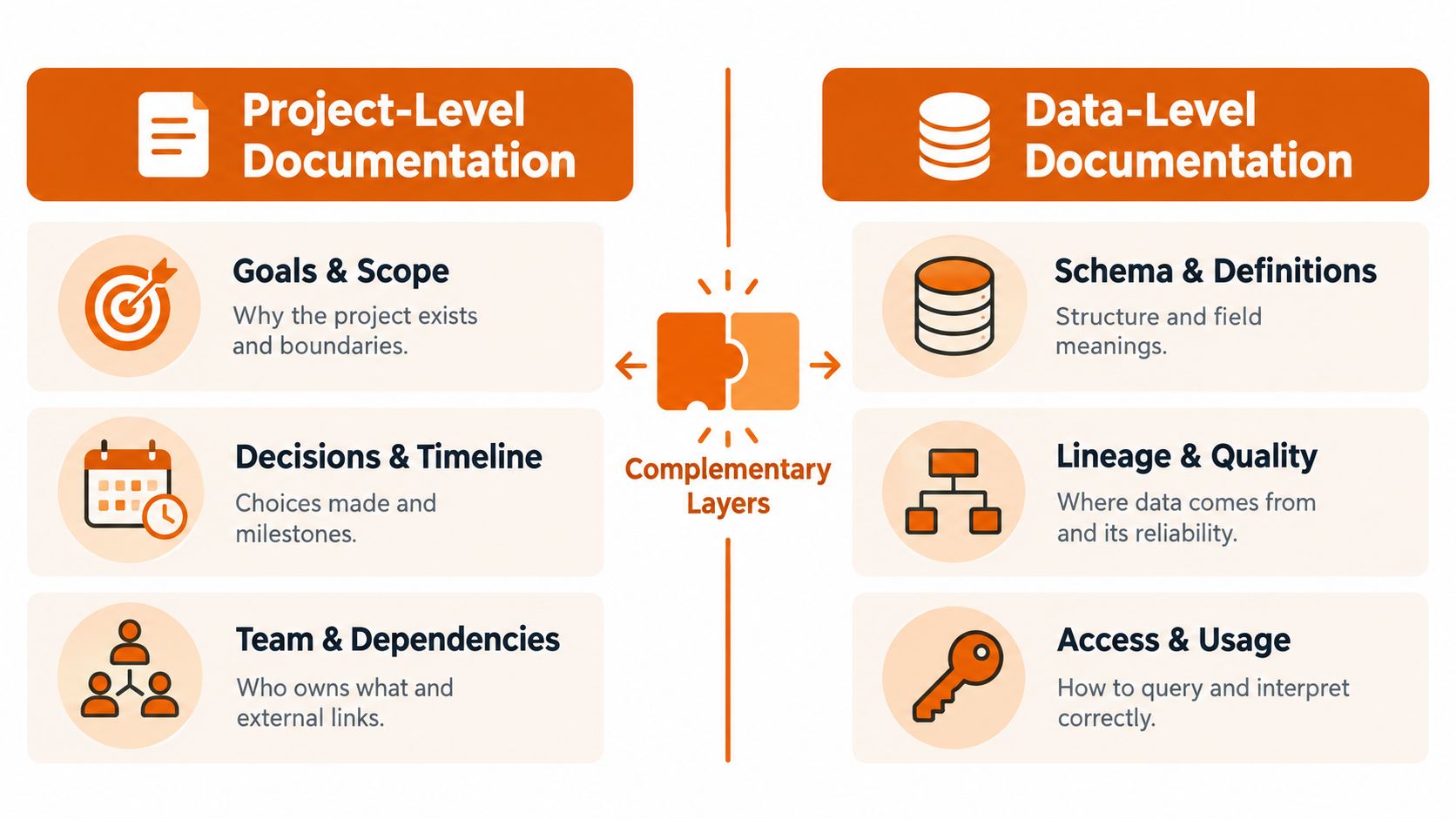
Project-level documentation records the work around the system. It answers:
- Why does the project exist?
- What is in scope, and what is excluded?
- Which decisions are approved?
- Who owns each area?
- Which dependencies, risks, and milestones affect delivery?
A project charter, roadmap, architecture decision record, team guide, or main README can hold this context. These records preserve the reasoning behind approval, so a later maintainer can trace a choice instead of treating the current design as unexplained fact.
Data-level documentation records the artifacts the project creates, stores, or exchanges. It answers a different set of questions:
- What does each field mean?
- What is the schema?
- Where did the data come from?
- Which transformations changed it?
- What limitations affect interpretation?
- How can another person access or reuse it?
CESSDA's documentation guidance distinguishes these layers and recommends maintaining both throughout the project. Stanford's documentation guidance makes a similar distinction between project-level and file-level records.
The software equivalent
A web application's project-level records may include its architecture overview, roadmap, ownership map, and decision log. Its data-level records may include the database schema, event payload definitions, API field descriptions, migration history, and data-quality notes.
Keep these layers separate. A single two-thousand-word README that combines company goals, local setup, deployment steps, database columns, and customer terminology forces every reader to excavate irrelevant information. A product manager needs project context. An engineer debugging an event consumer needs the payload contract.
Links provide the traceability. A design record can point to the schema it introduced. The schema can point back to that decision. A data dictionary can name the owning service and the release where a field changed.
<iframe width="100%" style="aspect-ratio: 16 / 9;" src="https://www.youtube.com/embed/uyGF8KG4cps" frameborder="0" allow="autoplay; encrypted-media" allowfullscreen></iframe>The split also clarifies accountability. Project owners maintain goals, boundaries, and decisions. Service or data owners maintain definitions, lineage, and usage constraints. Cross-links preserve the relationships without turning the material into one document that becomes difficult to review or maintain.
Tools and Workflows That Keep Docs Alive
A documentation tool doesn't keep content accurate by itself. The workflow does. The strongest pattern is to make documentation changes travel with the work that changes the system.
For developer-owned content, doc-as-code puts Markdown in Git and reviews it through pull requests. Docusaurus, MkDocs, and Nextra can render that content into a searchable site. A change to an API, configuration option, or deployment procedure can update the relevant page in the same branch as the code.
A wiki-based workflow fits cross-functional teams that need quick editing, comments, and flexible page structures. Confluence, Notion, and GitBook work well for product requirements, project decisions, onboarding, and stakeholder-facing material. They can still link to repositories and generated references.
Compare the tool to the failure you need to prevent
| Tool | Primary Use | Strength | Best Fit |
|---|---|---|---|
| Git with Markdown | Versioned technical documentation | Reviewable changes beside code | Engineering and open-source teams |
| Docusaurus, MkDocs, or Nextra | Published documentation sites | Structured navigation and static builds | Repositories with developer audiences |
| Confluence, Notion, or GitBook | Collaborative wiki authoring | Accessible editing for mixed teams | Product, operations, and enterprise work |
| OpenAPI and Swagger UI | API reference generation | Keeps endpoint details close to the contract | Service and platform teams |
| Read the Docs or Mintlify | Hosted documentation publishing | Searchable, versioned delivery | Public or internal technical portals |
| Pandoc or Sphinx | Migration and format conversion | Helps consolidate older content | Teams replacing scattered archives |
OpenAPI and Swagger UI should handle repetitive reference details wherever possible. Humans should still write task flows, examples, assumptions, and failure explanations. Generated pages can tell a reader what an endpoint accepts. They rarely explain why a business rule exists.
Read the Docs and Mintlify help publish versioned content, while Pandoc and Sphinx can help migrate or structure existing material. LLM-assisted rewriting can make legacy modules easier to explain, but a maintainer must verify the result against code and decision records. A fluent summary is not proof of correctness.
The sustainable loop looks like this:
- Write or update the page in the same work item as the behavior change.
- Review the documentation in the pull request or page workflow.
- Publish automatically after approval.
- Run link, build, and freshness checks.
- Ask the next reader to report ambiguity at the point of use.
For process-heavy work, a resource such as Bizbe's SOP template for route sellers can help teams express repeatable procedures in a consistent format. For a broader comparison of engineering options, see these code documentation tools.
RewriteBar can support the editing step by improving grammar, tone, clarity, and structure in selected text across applications. It can help polish commit messages, pull request descriptions, specifications, or runbook prose, but the team still needs a human owner to verify the technical meaning.
Best Practices for Versioning, Ownership, and Accessibility
Versioning, ownership, and accessibility form one chain. A page needs the right version, a named person must keep that version accurate, and readers must be able to locate and understand it.
Versioning anchors context
Tag documentation to releases when the content describes version-specific behavior. Keep a clearly identified current version and archive older material instead of leaving several pages that look equally authoritative. Link implementation commits and pull requests back to the requirement, specification, or ADR they satisfy.
A deployment guide that says “restart the worker” without identifying the relevant release can mislead an operator. A versioned guide can explain when the procedure applies and point to the migration or rollback instructions for earlier behavior.
Ownership makes maintenance visible
Assign a named human as the steward for each documentation surface. “The platform team owns it” sounds responsible, but it doesn't tell anyone who reviews a broken instruction this morning. Put the owner and review date in the page footer, then include documentation review in the definition of done for behavior-changing work.
Ownership rule: A team can contribute to a page, but one person should be accountable for its next accurate version.
Ownership doesn't mean the steward writes every line. It means that person routes changes, rejects unsupported assumptions, and notices when the page no longer matches production.
Accessibility determines whether the record works
Readable documentation uses structured headings, descriptive link text, useful examples, and alt text for meaningful images. Search results should expose the terms people use, not just internal project names. A new-hire README should pass a practical test: can someone unfamiliar with the repository install it, run a safe check, understand the architecture, and make a small change without private help?
Use release notes templates when a team needs consistent communication around shipped changes, but keep the release record connected to the underlying requirement and implementation.
These practices reinforce one another. Versioning prevents code and docs from drifting apart. Ownership gives someone responsibility for correcting drift. Accessibility lets the right reader find the correction. Solving only one problem slows decay, but it doesn't stop it.
Why Most Project Documentation Still Fails
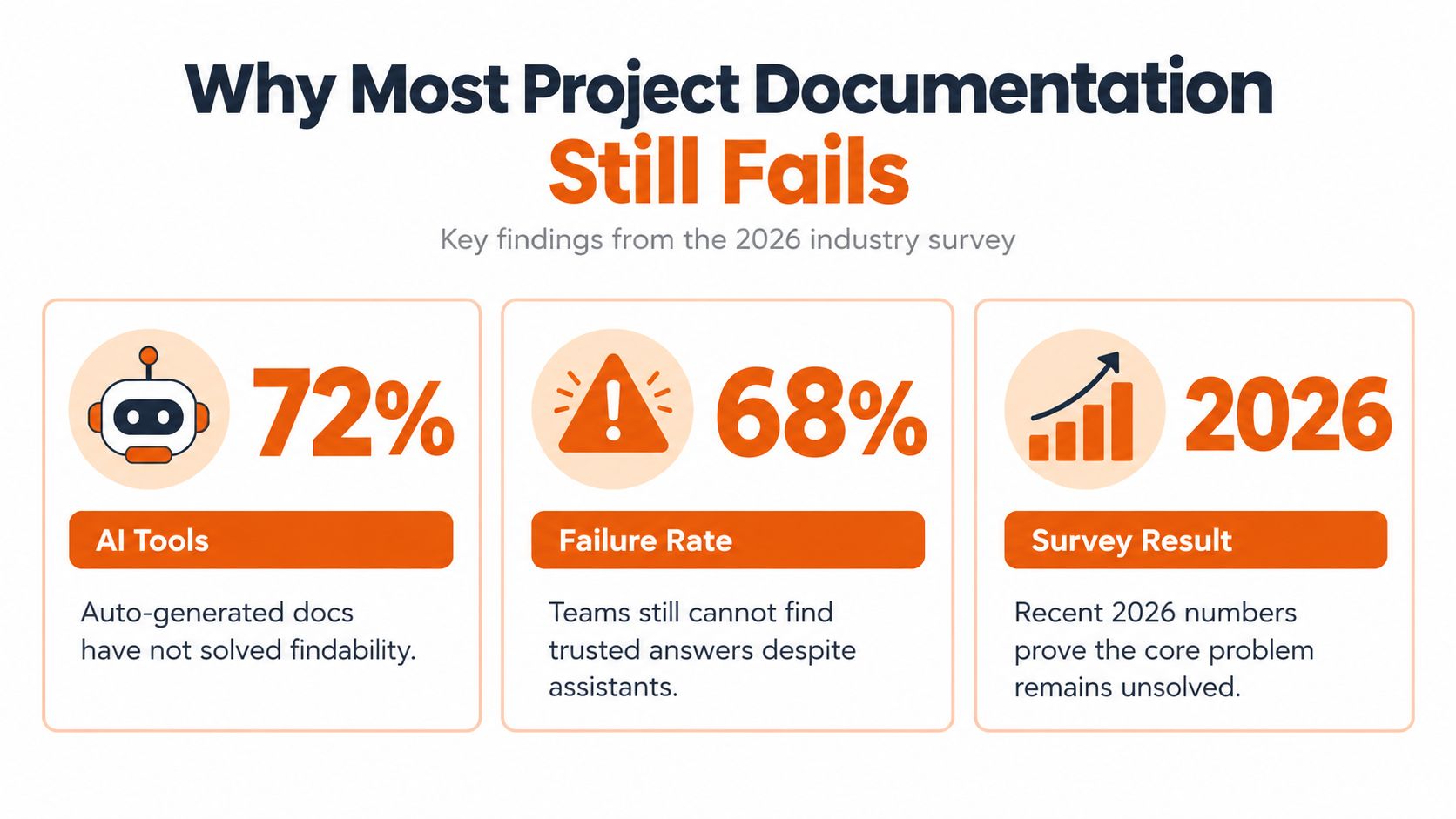
More generation hasn't fixed the central problem. AI summarizers, generated API references, and chat-with-your-docs assistants can produce text quickly, but they can't reliably recover a decision's original constraints when the team never recorded them.
The available evidence points to fragmentation, not a simple shortage of pages. A 2026 construction survey of 1,728 professionals across 14 countries found that nearly 80% managed projects where at least half of the documentation was spread across emails, calls, texts, and verbal instructions. The survey coverage shows why a team can have plenty of documentation and still lack a trusted source of truth.
Approval is where the decay begins
A project may communicate a decision successfully during planning and still fail to document the assumptions that shaped it. Recent coverage describes a 19-year pattern across dozens of ERP implementations, where misalignment typically surfaced two to six weeks after the decision point at delivery review. The analysis of post-approval documentation failure highlights the gap between agreeing on a direction and preserving its scope, exclusions, definitions, and operational consequences.
Common failures follow a recognizable path:
- Version drift: The page describes an earlier system while production follows a later design.
- Rationale loss: The decision log records the chosen option but not the constraints or alternatives.
- Ownership gaps: An onboarding guide becomes inaccurate after its author leaves or changes role.
- Confident summaries: Generated text describes visible code behavior while missing the business reason behind it.
- Channel sprawl: The authoritative answer exists partly in a ticket, partly in a call, and partly in a private message.
The ACM study of a large public-health software team describes documentation debt as non-existent, incomplete, inconsistent, outdated, or inadequate documentation. It identified 35 causes, 20 consequences, and 15 best practices, connecting weak practices to maintenance friction, reduced traceability, defects, and rework. The published study supports a practical conclusion: the bottleneck isn't typing speed. It's keeping decisions connected to the work that implements them.
Practical Checklist to Create or Audit Your Docs
Run the audit in three passes. Answer each question with yes or no, then record the evidence rather than relying on a general feeling that the project is documented.
Foundation
- Can a stranger state the mission? The main project page explains the problem, intended users, boundaries, and current status.
- Are exclusions explicit? The scope says what the team won't build or support, not only what it plans to deliver.
- Do the essential document types exist? Requirements, design decisions, interfaces, onboarding or user guidance, release notes, and operational procedures have clear homes.
- Can a reader follow one requirement forward? At least one requirement connects to its design, implementation, test, release, and relevant user or operator guidance.
- Does every important decision have a rationale? The record includes constraints, alternatives, consequences, and follow-up work.
Content
- Does every page name an audience? A guide for customers shouldn't read like an internal architecture record.
- Does every surface have a named owner? The page identifies a person responsible for review and correction.
- Is the review status visible? Readers can see when the content was last checked and which version it describes.
- Can someone find the answer using normal language? Titles, headings, labels, and search terms match the questions readers ask.
- Can a new teammate complete a safe first task? Setup instructions include prerequisites, commands, expected results, and a route to help when something fails.
Maintenance
- Do docs change with code? A behavior-changing pull request includes documentation review or explains why no update is needed.
- Are old instructions marked clearly? Deprecated pages point to the current replacement instead of competing with it.
- Are interfaces generated where practical? OpenAPI or similar tooling reduces manual repetition, while humans maintain examples and rationale.
- Does the publishing pipeline check links and builds? Broken navigation should fail visibly rather than becoming a reader's discovery.
- Is there a feedback path? Readers can report ambiguity, missing context, or incorrect steps at the page where they encounter it.
A healthy documentation set won't answer every possible question. It will make uncertainty visible, identify who can resolve it, and preserve the decision once the team has resolved it. Start with the project's most expensive unknown, document the decision and its consequences, then attach that record to the code and release that depend on it.
RewriteBar can help you polish project documentation, commit messages, pull requests, and technical explanations directly in the apps where you write. Visit RewriteBar to see how its cross-app editing and reusable workflows can support a clearer, more maintainable documentation practice.

More to read
10 Resume Writing Tips to Win More Interviews
Use these resume writing tips to improve your headline, ATS keywords, achievements, formatting, examples, and final review for stronger applications.
7 Best Writing Templates for Faster Work
Explore the best writing templates for emails, summaries, user stories, social posts, and code comments—and learn how to use them in RewriteBar.
How to Write Professionally: Your 2026 Guide
Master how to write professionally. This 2026 guide covers tone, structure for emails, reports, grammar, & tools to boost your clarity & impact.
Tags
Written by
Mathias MichelPublished
September 14, 2026