DocumentationOverviewBrowse
Documentation
Overview
Osaurus
Use Osaurus as a local AI provider in RewriteBar to run models on your Mac.
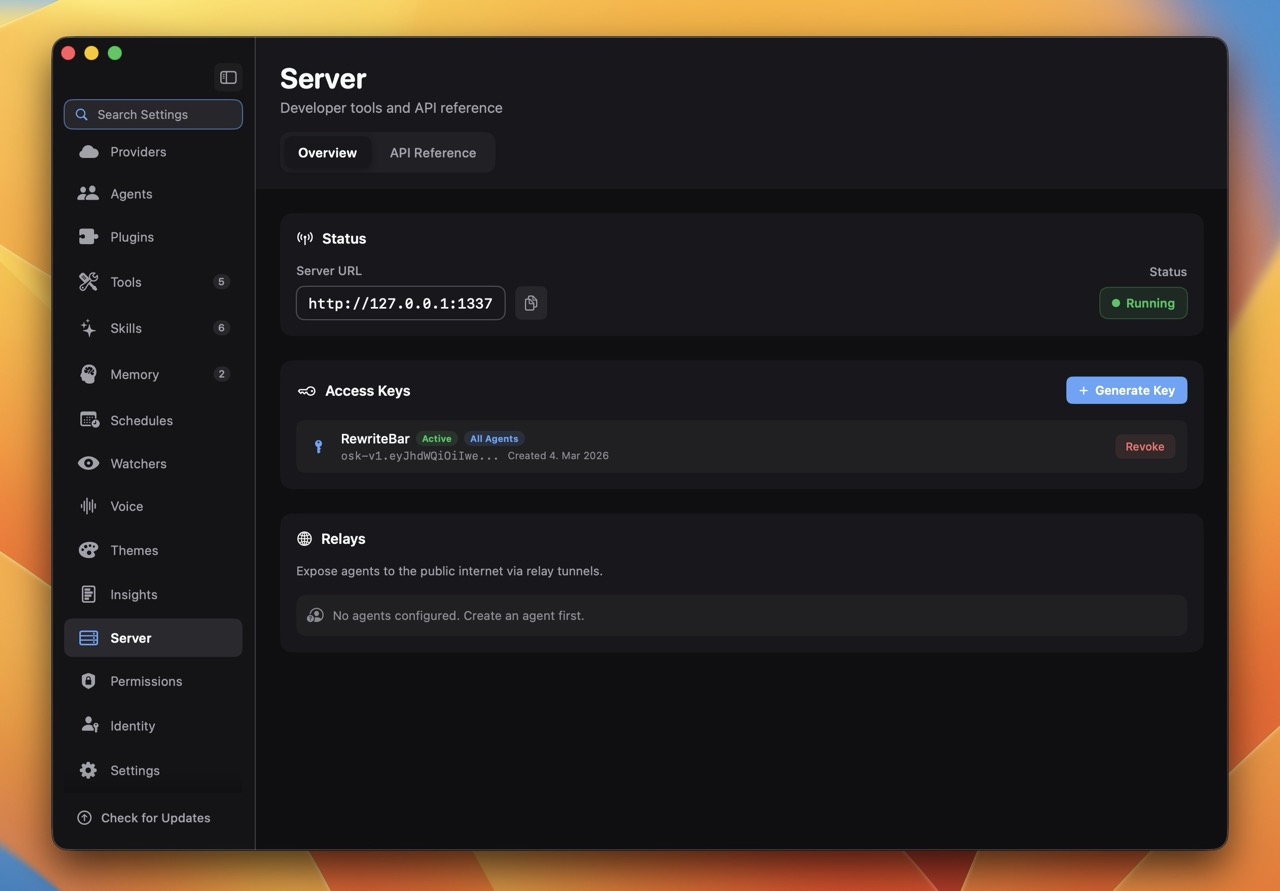
Quick Setup
- Install Osaurus from osaurus.ai.
- Follow the setup instructions in the onboarding flow and create a user profile.
- Open Osaurus Settings -> Server and create a access token for RewriteBar.
- Open RewriteBar and go to Preferences → AI Provider
- Create a OpenAI-compatible provider
- Enter the base URL and access token shown in Osaurus.
- Click Verify and Enable.
Notes
- Osaurus is local-first. Response speed depends on your Mac specs and selected model.
- Start with a smaller model for speed, then move to a larger model if you need higher quality.
Troubleshooting
- Connection refused: confirm Osaurus is running and the local endpoint URL is correct.
- Model not found: choose a model that is installed and available in Osaurus.
- Slow responses: switch to a smaller model or close memory-heavy apps.
