DocumentationTrigger RewriteBarBrowse
Trigger RewriteBar
RewriteBar gives you multiple ways to run commands, from quick keyboard flows to automation.
Before You Start
Make sure you have completed setup first:
- Activate your license/trial
- Grant Accessibility permission
- Configure at least one AI provider
If you have not done this yet, follow Setup.
1. Global Keyboard Shortcut (Fastest)
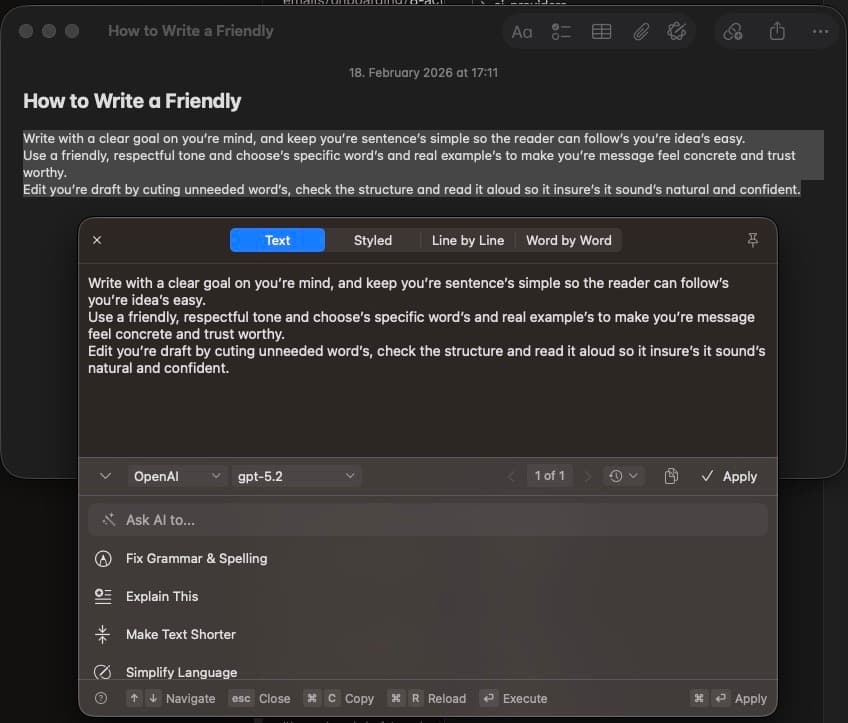
This is the default way to trigger RewriteBar while writing.
- Select text in any app
- Press your configured RewriteBar shortcut
- Choose a command from the command list
- Press
Enterto run the command - Apply the result in the review window with
Cmd + Enter
Manage your shortcut in RewriteBar settings. See Shortcuts for command and review window keys.
2. Menu Bar App
Use this when you want to work without selecting text first.
- Click the RewriteBar icon in the macOS menu bar
- Type or paste text into RewriteBar
- Pick a command
- Copy the output and paste it where you need it
3. PopClip Integration
If you use PopClip, you can trigger RewriteBar directly from selected text.
You can install two PopClip modes:
- Open the RewriteBar command menu
- Run one specific command directly
Full setup and examples: PopClip Integration.
4. Apple Shortcuts
You can trigger RewriteBar from Apple Shortcuts using a URL.
- Open the Shortcuts app
- Create a shortcut
- Add an Open URLs action
- Use a RewriteBar URL (examples below)
- Optionally pin the shortcut to menu bar, Spotlight, or a keyboard shortcut
This is useful for personal automations and repeat workflows.
5. URL Scheme (Automation)
RewriteBar supports URL-based triggers.
Open command menu
rewritebar://command-menu
Run a specific command
rewritebar://command/<command-slug>
Example:
rewritebar://command/fix-grammar-spelling
Install a command from a link
rewritebar://install-command/<command-slug>
Example:
rewritebar://install-command/fix-grammar-spelling
Install-command URLs are covered in Install Commands.
Which Method Should You Use?
| If you want to... | Best trigger |
|---|---|
| Rewrite while typing with minimum friction | Global keyboard shortcut |
| Rewrite text without selecting in-place | Menu bar app |
| Trigger from text selection UI | PopClip |
| Trigger RewriteBar from Stream Deck | Apple Shortcuts |
| Trigger from Apple Scripts | URL scheme |
Troubleshooting Triggers
If RewriteBar does not open when triggered:
- Confirm RewriteBar is running
- Re-check Accessibility permission
- Re-check shortcut conflicts with other apps
- Restart RewriteBar after shortcut changes
See Troubleshooting for full steps.
